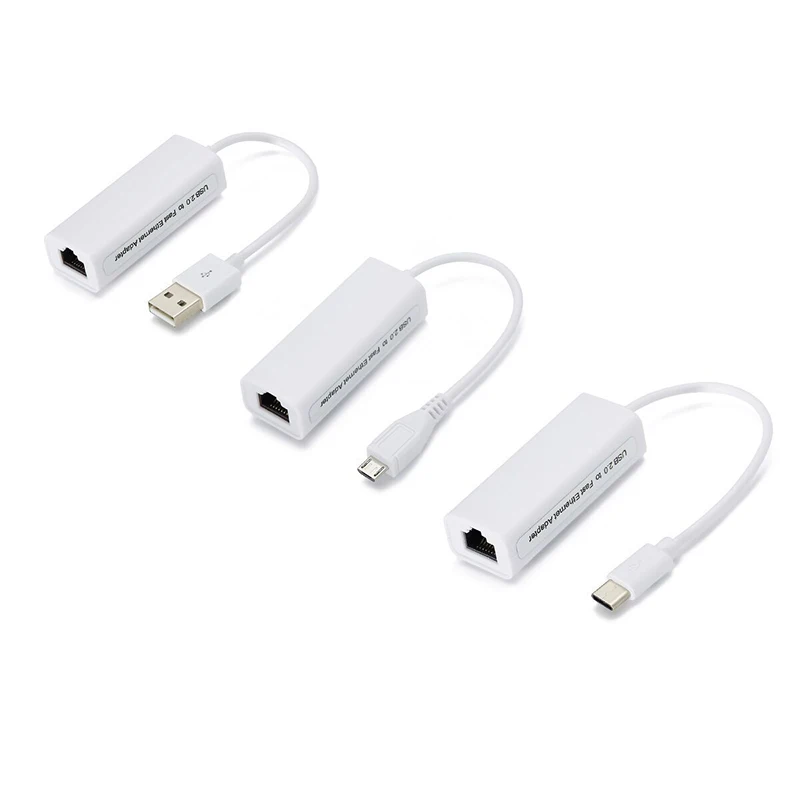
No Ethernet Port? This USB to RJ45 Adapter is Your Simple Solution
Does Your Laptop Lack an Ethernet Port? The Simplest Solution is Here
During work or study, a stable internet connection is essential. But what do you do when your laptop, tablet, or even smartphone doesn’t have a wired network port? The USB to RJ45 adapter is the answer.
What Exactly is This Adapter?
This is a small, compact adapter that converts a standard USB port into an RJ45 network connection. Simply plug it into your computer or mobile device’s USB port, connect a standard Ethernet cable – and you immediately have a wired internet connection.
Main Advantages:
- Wide Compatibility – Works with laptops, tablets, desktop PCs, and even Android devices
- 100Mbps Speed – Sufficient for browsing, streaming, and office work
- Simple Installation – Plug & Play, no special software installation needed in most cases
- Minimal Size – Easy to carry in your computer bag
When is it Most Useful?
The adapter is perfect for: older laptops without built-in network ports, hotel rooms with wired internet only, work environments requiring stable connections, or when WiFi is weak or unstable.
Important to Know: The adapter works with USB 2.0 and its speed is limited to 100Mbps. If you need higher speeds (Gigabit), you’ll need to look for a more expensive adapter with USB 3.0 support.
Summary
At a relatively low price, the USB to RJ45 adapter is a simple and effective solution for network connection problems. Recommended for anyone using mobile devices and encountering environments with wired-only connections.